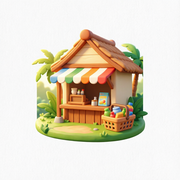
Warung Life Simulator How to Play: Complete Upgrade Guide
Master Warung Life Simulator with this upgrade guide. Learn what to buy first, optimal upgrade order, and tips for maximizing profits.
If you're diving into Warung Life Simulator, you're probably wondering what to buy first and how to manage your有限 resources. This Indonesian-style shop management game has a deceptive amount of depth, and making the wrong upgrade choice early can leave you struggling to pay rent. That's exactly why understanding the upgrade system matters—whether you're running your first small stall or expanding into a full kiosk, every purchase decision impacts your daily profits and long-term growth. In this Warung Life Simulator how to play guide, we'll break down the essential upgrade path that keeps your shop profitable from day one.
Understanding the Upgrade System
Warung Life Simulator presents players with a deceptively simple premise: run a traditional Indonesian street shop (warung), serve customers, and grow your business. However, the upgrade system introduces strategic depth that separates struggling shops from thriving ones. Each upgrade changes either your sales capacity, customer patience, or operational capabilities—and understanding which metrics matter most at each stage is crucial for success.
The game doesn't publish fixed prices for most upgrades, meaning you'll see different costs in your own shop menu. This dynamic pricing means two players at different levels may see different upgrade costs, making general guides somewhat approximate. However, the strategic order remains consistent regardless of price fluctuations, because the fundamental question is always the same: does this upgrade raise my daily sales, or does it lower my daily costs?
Before diving into specific purchases, remember that rent runs between Rp 100,000 and Rp 500,000 depending on your level, and it increases at levels 3, 5, 7, and 9. Never spend so heavily on upgrades that you can't cover at least one full rent payment—you need that financial buffer for unexpected expenses or slow weeks.
The Essential First Purchase: Glass Display Case
The Etalase Kaca (glass display case) is unambiguously the best first upgrade in Warung Life Simulator, and skipping it is one of the most common mistakes new players make. This isn't optional or debatable—it's the foundation everything else builds upon. Without the glass display case, your stock sits on the counter where customers physically cannot reach it, and you'll find your daily sales capping out far too early each day.
Think of it this way: every customer who walks up to your counter but can't grab what they want represents lost revenue. The glass display case transforms your counter into a functional sales space, allowing you to display more products within arm's reach of customers. This directly translates to more transactions per day, which means more money flowing into your drawer. The return on this investment is immediate and measurable—you'll notice your daily totals jump the very next day after purchasing it.
One critical mistake to avoid: never buy decorative items before getting your glass display case. Decorations look appealing, but they don't increase sales capacity or reduce costs. They're pure aesthetics with no gameplay impact when your fundamental sales infrastructure isn't in place. Save the decorating for later, once your shop is generating consistent profits.
Complete Upgrade Order and Timing
Understanding when to purchase each upgrade is just as important as knowing what to buy. Here's the optimal progression that keeps your shop stable while maximizing growth potential:
| Priority | Upgrade | Primary Benefit | When to Buy |
|---|---|---|---|
| 1 | Glass Display Case (Etalase Kaca) | Enables proper stock display on counter | Immediately—before anything else |
| 2 | Fan (Kipas Angin) | Increases customer patience, reduces lost sales | Right after the display case |
| 3 | WiFi (WiFi Gratis) | Unlocks phone-side options and story missions | Before first story step requiring it |
| 4 | CCTV | Converts quiet losses into visible problems you can fix | After sales stabilize |
| 5 | TV Warung | Attracts customers who would otherwise walk past | After first four upgrades are paid off |
| 6 | Kiosk (Kios) | Expands to full shop with more space and flexible hours | When one full rent payment sits in the drawer |
| 7 | Motor | Enables ojek (ride) income after closing | Level 3+, kiosk paid off, reserve maintained |
The fan serves as your second priority because customer patience is effectively a sales stat in this game. When customers wait too long in line, they leave—and that represents sales you already had in hand but lost. The fan keeps them comfortable and willing to wait, directly protecting your revenue stream. Combined with the display case, these two upgrades form the foundation of a profitable operation.
WiFi becomes necessary before certain story missions and side jobs that require phone-based tasks. Check your current story progress and purchase WiFi when you're about to hit a mission that needs it, rather than buying it prematurely and tying up resources.
The CCTV is a margin upgrade—it won't increase your top-line sales, but it will help you identify theft and operational issues that quietly eat your profits. Once your sales are steady and you're thinking about protecting rather than chasing volume, CCTV makes sense.
The TV Warung is a volume play. It attracts new customers who would otherwise walk past your shop, expanding your potential customer base. Wait until you've built up profits from the first four upgrades before investing here.
The Kiosk and Motor: Major Investments
The kiosk represents a transformative upgrade in Warung Life Simulator—it shifts you from a simple stall to a proper shop with more shelf space, more stock capacity, and hours you set yourself. However, this comes with increased rent (Rp 100,000–500,000 depending on level), so timing is critical.
Only buy the kiosk when you have one full rent payment sitting safely in your drawer. This buffer ensures you can cover rent even if your first week as a kiosk owner goes poorly. The rent increases at levels 3, 5, 7, and 9, so factor those upcoming increases into your planning.
The motor is not a shop upgrade at all—it's an income stream that lets you offer ojek rides after closing your shop. It costs approximately Rp 2,000,000 upfront plus Rp 1,000,000 monthly, and that monthly payment starts regardless of whether you had a good week. This makes it a high-risk investment that should only be considered after:
- Reaching level 3
- Paying off your kiosk
- Having one full rent payment still in reserve as a buffer
The motor generates additional income through ojek rides, but it's not a replacement for shop profits. Think of it as extra money on top of an already-stable business, not as your primary revenue source.
What NOT to Buy Early
Certain purchases seem appealing but actively hurt your early-game progress:
- Decorative items before your display case and fan—these provide zero gameplay benefit
- The motor before your kiosk is paid off—the monthly payments can become crushing
- Anything purchased on restock day unless your drawer still holds a full rent payment
The key principle: prioritize upgrades that raise your daily sales or lower your daily costs. Everything else can wait until your shop is stable and profitable.
Warung Life Simulator How to Play: Quick FAQ
What is the absolute best first upgrade in Warung Life Simulator? The glass display case (Etalase Kaca) is the only correct answer for your first purchase. Without it, customers can't reach products on your counter, severely limiting daily sales. This upgrade pays for itself faster than anything else in the game.
Should I skip the fan if I'm short on money? Absolutely not. Customer patience directly affects your sales—you lose transactions when people leave the queue due to waiting too long. The fan is non-negotiable as your second purchase.
When should I buy the motor in Warung Life Simulator? Wait until you've reached level 3, paid off your kiosk, and have one full rent payment still in reserve. The motor costs Rp 2,000,000 down plus Rp 1,000,000 monthly, so it requires significant financial stability before purchasing.
How do I know if an upgrade is worth buying? Ask two questions: Does it raise my daily sales? Does it lower my daily costs? If the answer to both is no, skip it for now. Focus on upgrades that impact either revenue or expenses—not cosmetics.
What happens if I can't pay rent in Warung Life Simulator? Rent ranges from Rp 100,000 to Rp 500,000 depending on your level and increases at levels 3, 5, 7, and 9. Always maintain at least one full rent payment as a buffer to avoid being caught short during slow weeks.
Mastering Warung Life Simulator comes down to making smart upgrade decisions in the right order. The glass display case and fan form your foundation, WiFi unlocks important story content, CCTV protects your margins, and the TV expands your customer base. Save the big purchases (kiosk and motor) for when you have proper financial reserves. Follow this guide, and your Indonesian shop will be thriving in no time.
Related Guides
Mastering Warung Life Simulator Tips and Tricks for Ultimate Shop Success
Discover essential Warung Life Simulator tips and tricks to optimize your store management, boost revenue, and master gameplay mechanics easily.
Warung Life Simulator Beginner Guide: Master Your Village Shop
Complete beginner guide to Warung Life Simulator. Learn shop management, inventory tips, and how to unlock all 10 Warung Levels.
Warung Life Simulator Gameplay Walkthrough: Complete Beginner Guide
Master Warung Life Simulator with this comprehensive gameplay walkthrough. Learn shop management, stocking, customer service, and progression tips.
Warung Life Simulator Tutorial: The Ultimate Upgrade Order Guide
Master Warung Life Simulator with our complete upgrade guide. Learn what to buy first, when to buy, and how to maximize profits.